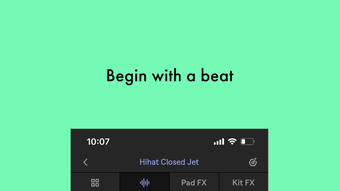

Ableton Note: Instant Music Creation on iPhone
Is Ableton Note available for free?
Yes, Ableton Note is available at no cost. The app can be downloaded and used without any payment required.
Can I use Ableton Note offline?
The app supports offline functionality, allowing users to create and edit projects without an internet connection.
What devices does Ableton Note support?
Ableton Note is designed for iPhone and runs on iOS. Compatibility with other Apple devices has not been specified.
How do I transfer my projects to Ableton Live?
Projects can be sent directly to Ableton Live (version or later) via Ableton Cloud, enabling seamless workflow continuation in the desktop environment.
Does Ableton Note require a subscription?
No, Ableton Note does not require a subscription. All features are accessible without ongoing fees.
Overview
Ableton Note is a music experimentation app designed specifically for iPhone users seeking a mobile-first approach to creative sound design and composition. The app enables users to explore musical ideas, craft beats and melodies, and shape unique soundscapes using a curated selection of instruments and tools. It integrates Ableton Live’s core elements—drum kits, synthesizers, and melodic instruments—into a compact, intuitive interface, making it accessible for both beginners and experienced creators. The app’s primary purpose is to serve as a portable studio for spontaneous music creation, allowing users to capture inspiration anytime, anywhere.
It is ideal for music enthusiasts, producers on the move, and experimental artists who value quick ideation and sonic exploration. The ability to record ambient sounds through the iPhone’s microphone and convert them into playable sampler instruments adds a layer of personalization and creativity. Users can layer effects and adjust parameters in real time, fostering a hands-on approach to sound shaping. Projects can be saved and later accessed through Ableton Cloud, facilitating a smooth transition to desktop workflows. While specific developer background details were not provided, the app’s integration with the Ableton ecosystem suggests strong alignment with professional music production standards.
Key Features & Capabilities
- Integrated Instruments: Access to Ableton Live’s drum kits, synths, and melodic instruments for immediate creative use.
- Environmental Sampling: Record real-world sounds via the iPhone’s microphone and turn them into playable sampler instruments.
- Session View Layout: A grid-based interface enables users to trigger clips and create variations, supporting dynamic idea development.
- Cloud-Based Project Transfer: Seamlessly send projects to Ableton Live (version or later) using Ableton Cloud without leaving the app.
- Real-Time Sound Manipulation: Adjust effects and parameters on the fly to shape and refine sound in a tactile, responsive manner.
These features empower users to turn fleeting musical thoughts into structured compositions. For example, a composer walking through a city can record footsteps or traffic noise, import them into the app, and use them as rhythmic elements in a new track. The grid-based Session View supports improvisation and experimentation, allowing for rapid iteration of ideas. The ability to send projects to Live ensures that mobile creations are not isolated but can evolve within a full-featured desktop environment. This makes the app particularly valuable for artists who rely on mobility and workflow continuity.
User Interface, Workflow & Performance
The user interface of Ableton Note is built around a clean, grid-based Session View, which organizes clips and instruments in a visual, intuitive layout. Navigation is streamlined through touch gestures, enabling quick access to instruments, effects, and project controls. The app’s workflow emphasizes speed and spontaneity, aligning with the mobile-first philosophy of capturing ideas in real time. Users can create, edit, and trigger clips with minimal friction, making the process of experimentation seamless.
Performance observations are based on general software behavior patterns. The app runs on iOS and is designed to handle audio processing efficiently within mobile constraints. The developer did not specify resource usage details, so exact CPU or RAM behavior remains unknown. Stability is expected to be consistent given the app’s integration with the Ableton ecosystem, but real-world performance may vary depending on device capabilities. Overall, the interface prioritizes usability and creative flow, reducing the learning curve for new users while offering depth for advanced creators.
Compatibility & System Requirements
Ableton Note is designed for iPhone and operates on iOS. The app has a file size of 150 MB, indicating a lightweight installation that should fit on most modern devices. The specific iOS version requirement was not provided, but given the app’s integration with Ableton Cloud and Live, it likely requires a recent version of the operating system. Hardware requirements were not detailed by the developer.
Compatibility information was partially provided. While the app is confirmed to run on iPhone, support for other Apple devices such as iPad or iPod Touch has not been specified. Users should verify device compatibility through the App Store before installation. The developer did not provide additional system requirements, so users are advised to ensure their device meets standard iOS app performance benchmarks.
Pros and Cons
Pros
- Free to download and use with no subscription required.
- Seamless integration with Ableton Live via Cloud for cross-device workflow.
- Powerful sampling tools for recording and transforming ambient sounds.
- Intuitive grid-based Session View ideal for improvisation and idea exploration.
- Access to professional-grade instruments from Ableton Live.
Cons
- Compatibility with devices beyond iPhone has not been confirmed.
- Exact system requirements and performance metrics were not disclosed.
- Full functionality may depend on a stable internet connection for Cloud sync.
- Limited to iOS, which restricts accessibility for non-Apple users.
Final Thoughts + CTA
Ableton Note stands out as a powerful, accessible tool for music experimentation on mobile. Its ability to transform ambient sounds into playable instruments, combined with seamless project transfer to Ableton Live, makes it a compelling choice for creators who value mobility and creative freedom. The free pricing model removes barriers to entry, while the professional-grade features ensure serious utility for both hobbyists and working musicians. Although system details are limited, the app’s design and integration with the Ableton ecosystem suggest a reliable, efficient experience.
For music enthusiasts seeking a dynamic, portable studio, Ableton Note delivers on its promise. Its intuitive interface and powerful capabilities make it a standout in the mobile music production space. Whether you're capturing a rhythm in the street or sketching a melody during a commute, this app turns inspiration into action.
Download Ableton Note now







